To join a meeting, simply click on the link provided at the appropriate time.
Important: When you join, a message appears asking you whether you want to join the Internet or WLAN audio. You must agree to this setting by selecting Yes.
Below you will find out how to make the correct sound and picture settings for:
👉🏻 Laptop & PC
👉🏻 Tablet
Note: The optimum audio settings vary. There are different recommendations for laptops and PCs than for tablets. You can find out all about this here
Other frequently asked questions are also answered here. Your question wasn’t included or it didn’t work out despite careful consideration? Simply send an e-mail to support@accordio.de
1. audio settings for laptop & PC
Laptop & PC are usually the best choice for lessons. How to set the audio correctly:
Step by step:
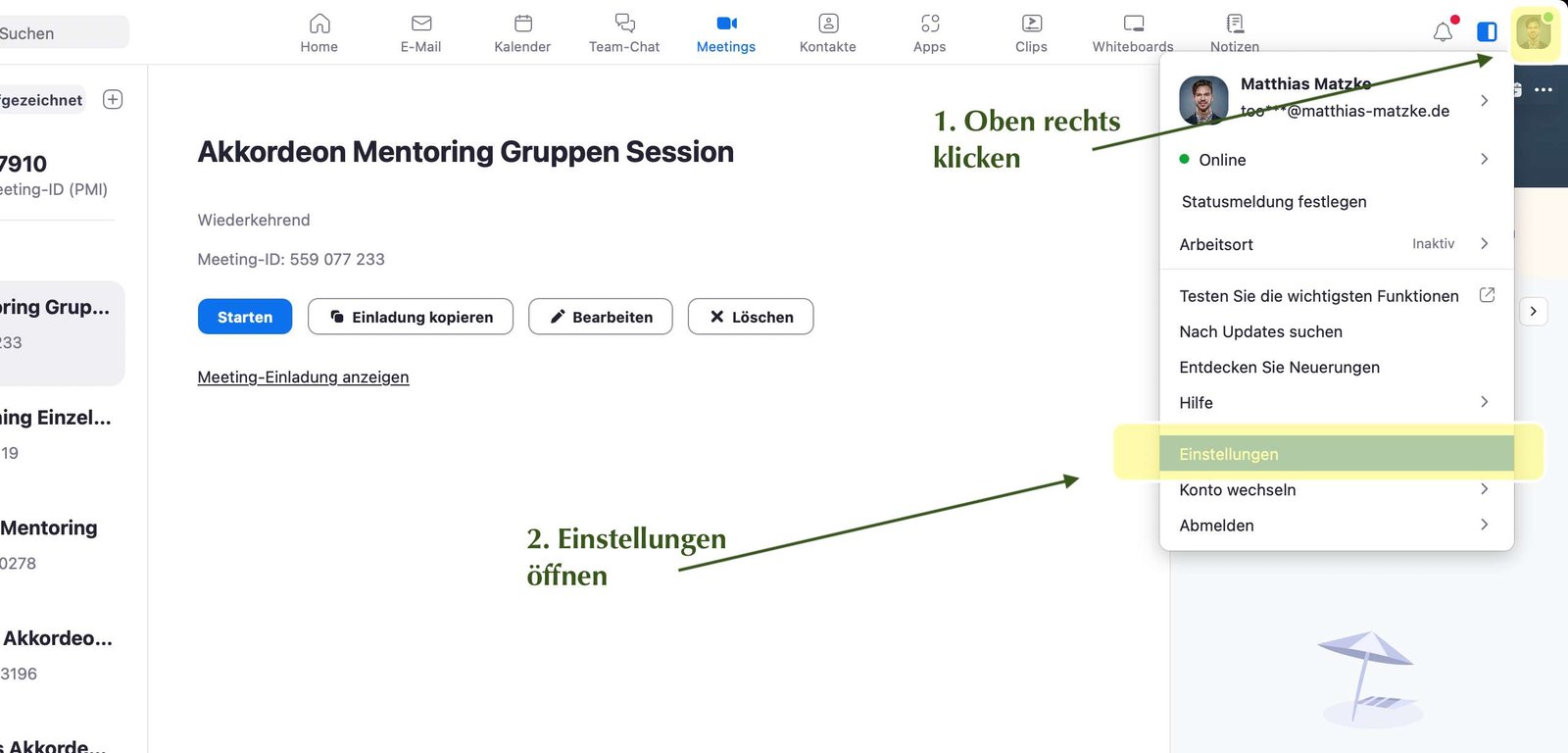
Once you have installed and opened Zoom, click on the icon in the top right-hand corner. A menu opens where we click on “Settings”.
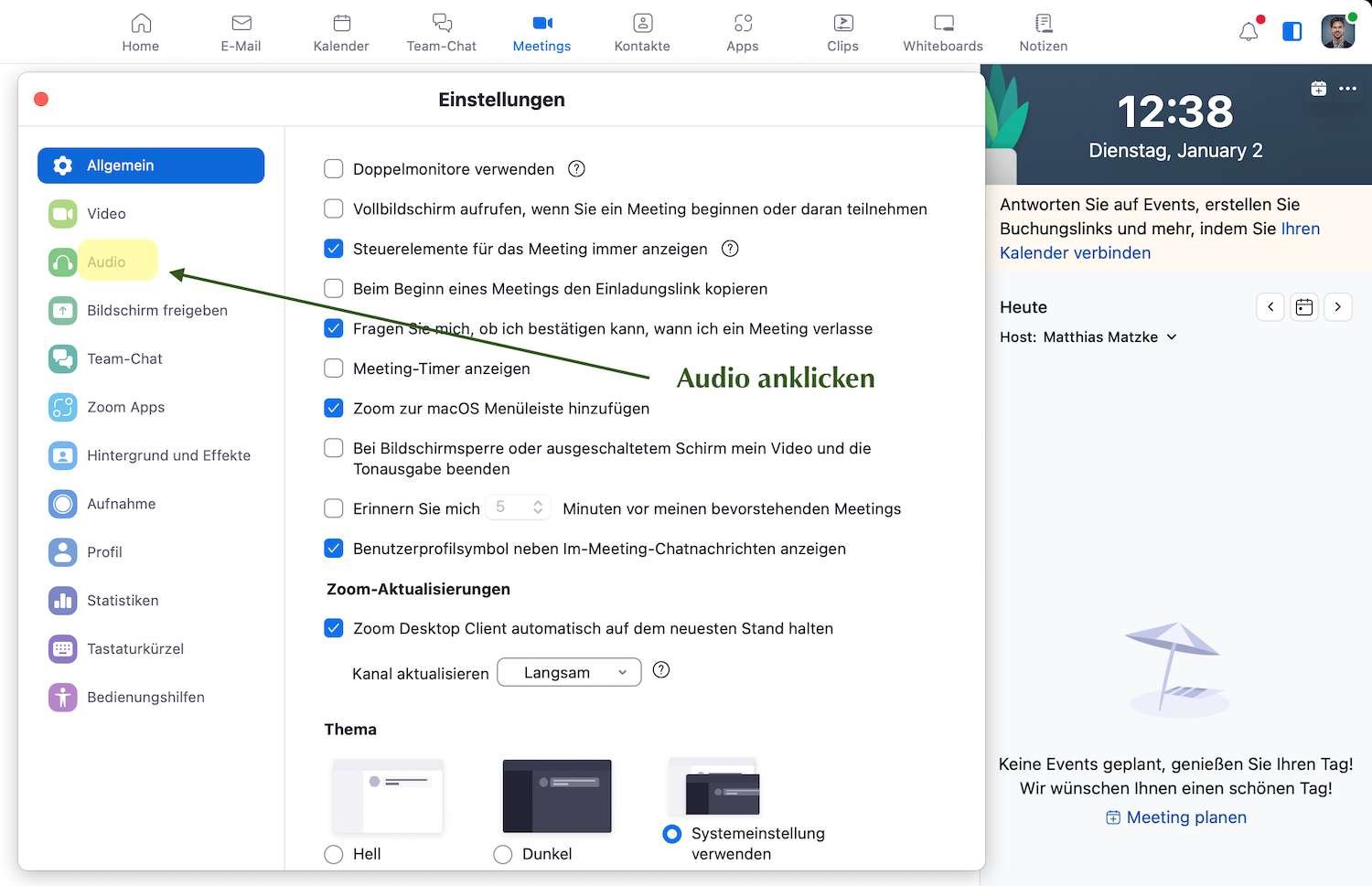
In the settings, select the “Audio” tab on the left:
Make sure that no external speakers are used: Headphones are best, but the speakers on your laptop/screen will also suffice.
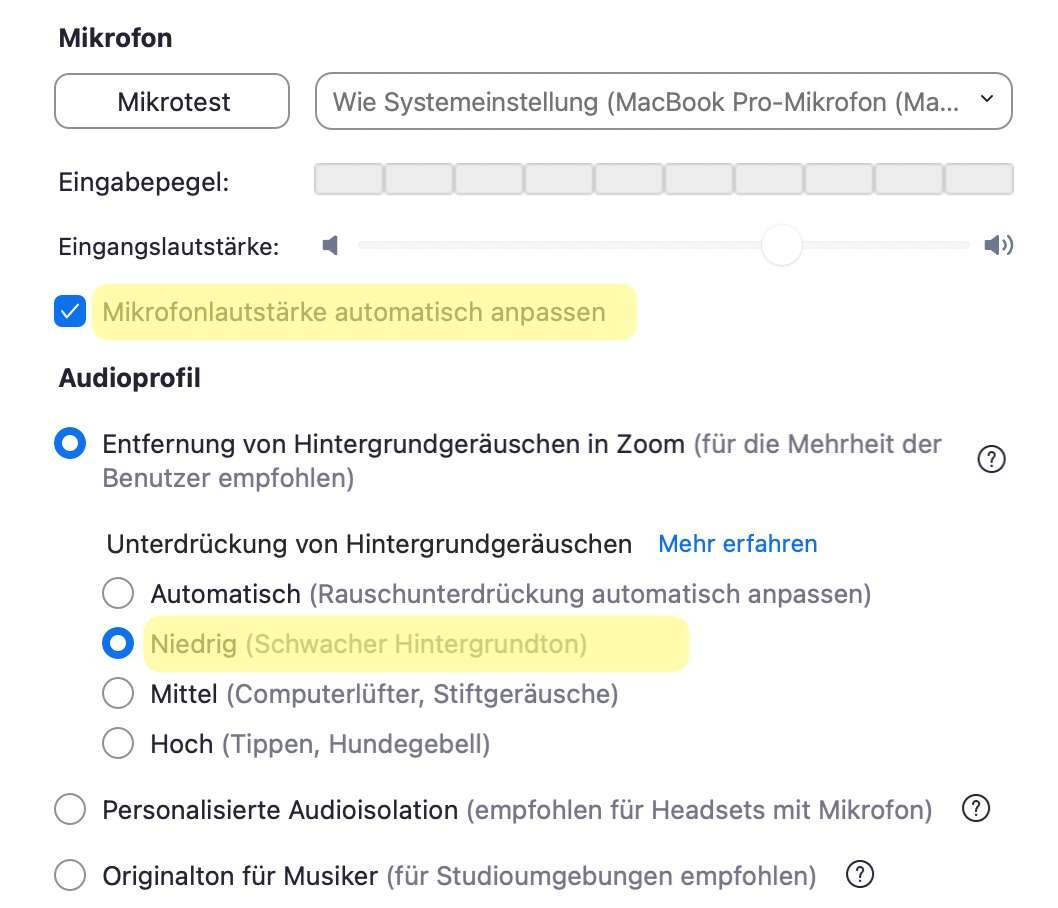
The most important setting: Under Audio profile, the top item must be selected: “Remove background noise”.
Be sure to select Low in this submenu. The default setting is “Automatic”, which can suppress the accordion!
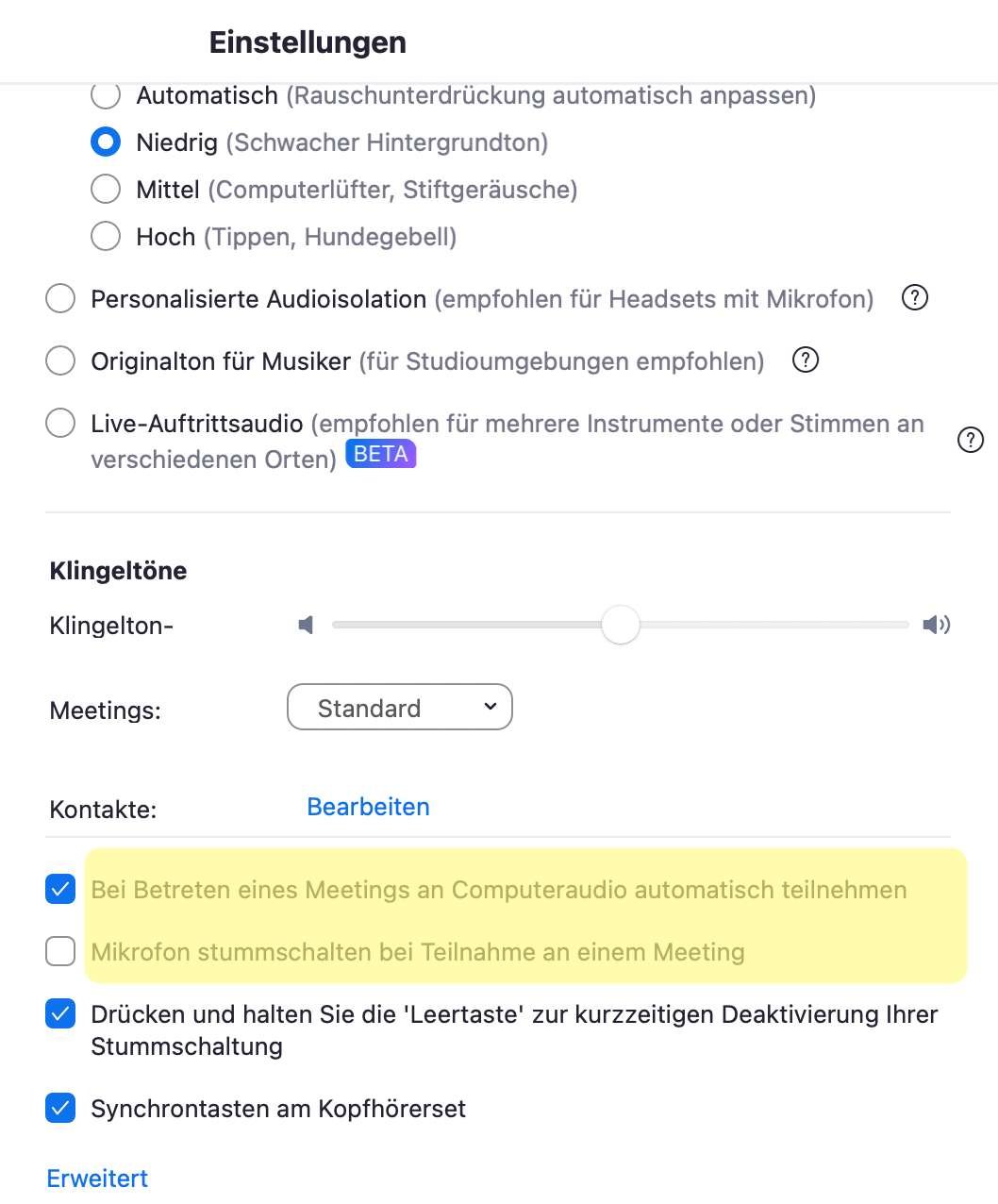
Further down I recommend setting a check mark that “Automatically join the computer audio when entering a meeting” is activated:
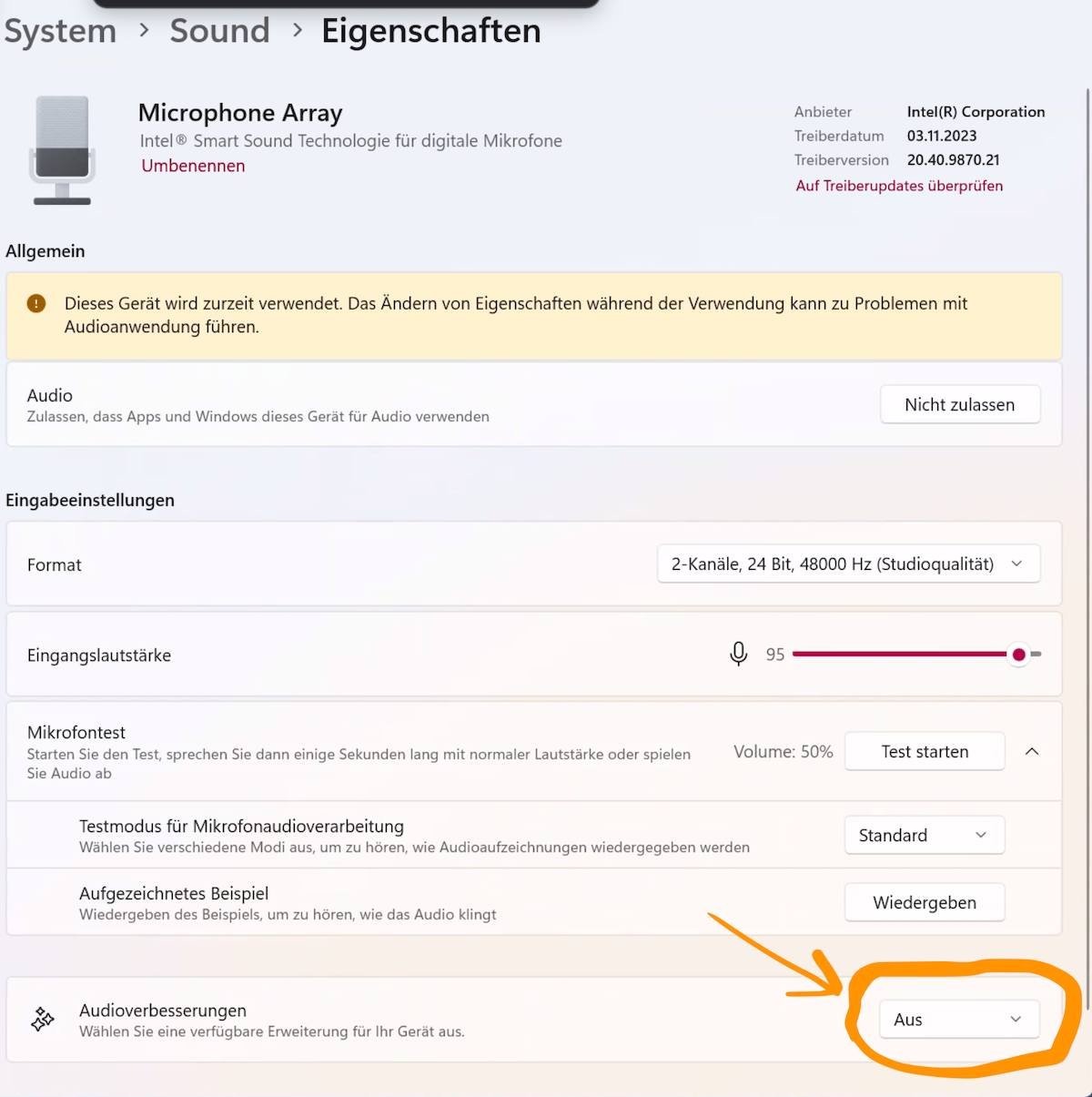
If you are using a Microsoft device, you may also have to make sure that the following setting is switched off:
Settings for the tablet
If you are using a tablet, these instructions will help you:
Change picture view
Note: It is quite normal for you to see yourself in the overview on Zoom at the very beginning. However, this only applies to you. Everyone else will also see themselves at the front.
If you want to change the view to see either just the person playing or everyone, click on the “Change view” button at the top left and try out different options.
Do you have any questions? Feel free to send me an e-mail or leave us a comment!
🎁 Your Free Gift: 30+ Accordion Sheet Music – PDF Download
✓ 25 Christmas songs ✓ Happy Birthday & more ✓ Perfect for beginners
By signing up, I consent to receiving emails from Accordio containing offers and updates. I can unsubscribe at any time. More information: Privacy Policy